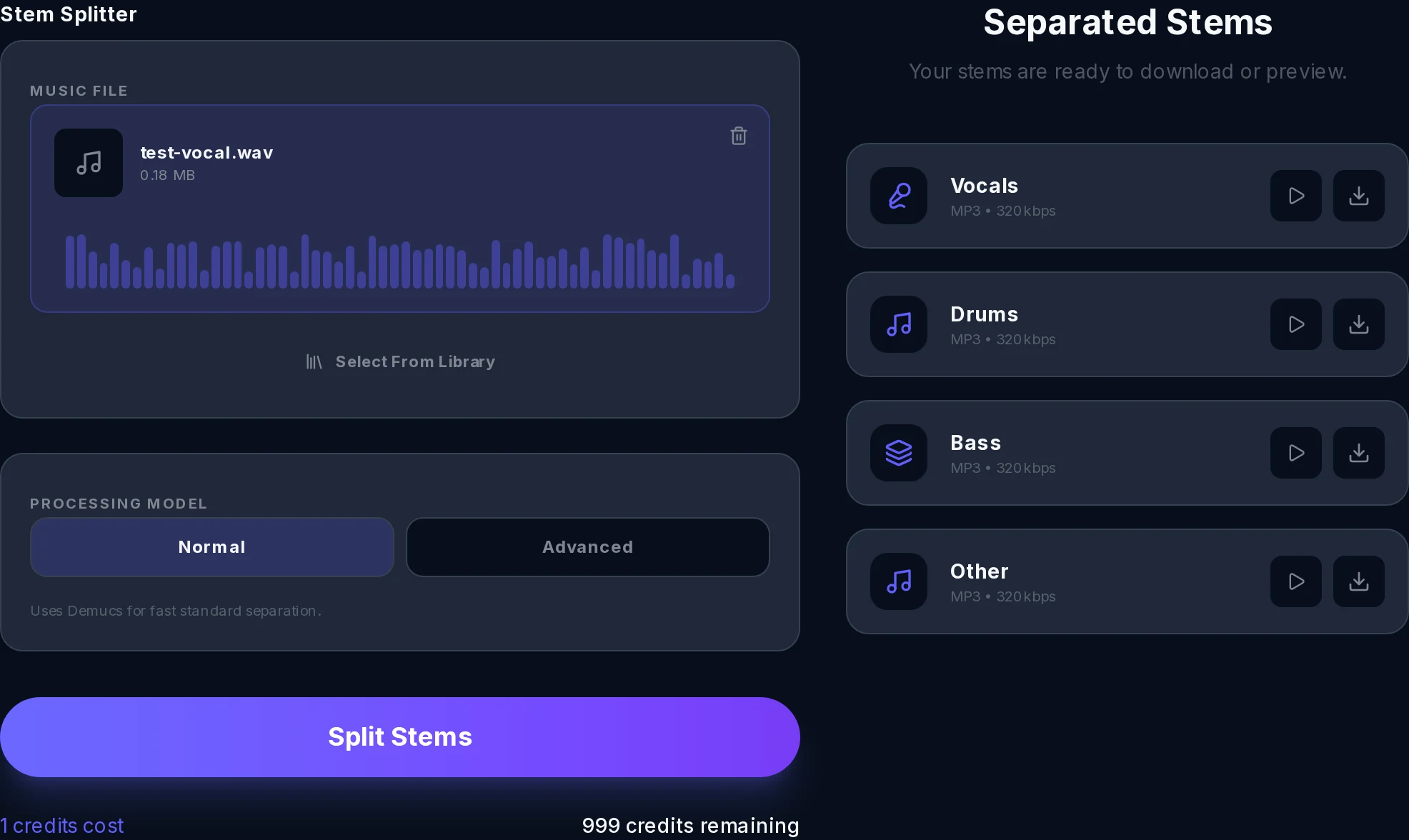
Stem Splitter
Stem Splitter
Click to upload or drag and drop
MP3, WAV, FLAC, AAC, OGG (max 100MB)
Up to 5 separate instrument and vocal tracks
Start Creating now!
Upload an audio file and click Split to separate stems
Click to upload or drag and drop
MP3, WAV, FLAC, AAC, OGG (max 100MB)
Up to 5 separate instrument and vocal tracks
Upload an audio file and click Split to separate stems
Freesong AI delivers studio-grade stem separation straight in your browser. Upload any track, or split one you just created, and get time-aligned, DAW-ready WAV files in seconds. No installs. No GPU. No command line. Just clean, lossless stems ready for Ableton, Logic, FL Studio, or any DAW you love.
Every stem exports as a full-quality, time-aligned WAV file, drop it straight into your DAW without any re-encoding or quality loss.
Start with Standard (vocals, drums, bass, instruments) or go Advanced for up to 12 isolated layers: backing vocals, guitar, keys, strings, brass, percussion, synth, and FX.
Split uploaded songs, live recordings, covers, or tracks you generated right inside Freesong AI, the best stem splitter experience, all in one integrated workflow.
Whether you need a quick vocal remove for karaoke or a full 12-stem studio breakdown for a professional remix, Freesong AI's free stem splitter AI has the depth you need.
Isolate lead vocals for karaoke tracks, acapella extraction, or AI cover projects with pinpoint accuracy.
Separate harmony layers from the lead so you can remix or rebalance the full vocal stack.
Pull a clean drum stem to sample a groove, replace the kit, or study the original performance.
Extract the bass line for re-amping, resampling, or practicing along to an isolated low end.
Get the guitar stem alone, perfect for learning parts, creating stems for covers, or remixing.
Lift piano, organ, orchestral strings, and brass individually for cinematic remixes or sample libraries.
Isolate shakers, claps, congas, and auxiliary percussion without bleeding into the main drum track.
Separate synthesizer pads, arpeggios, and sound design elements for electronic remixes and edits.
Need everything non-vocal in one stem? Standard mode bundles all instruments into a single, clean layer.
Separation quality is the whole game. Here's what keeps Freesong's stems clean where lesser tools smear.

Freesong AI's online free stem splitter is built for creators at every level, from bedroom producers to professional engineers.
Remove lead vocals from any song in seconds and generate an instant karaoke backing track with no artifacts.
Isolate clean vocal stems for mashups, sampling, or AI vocal training datasets.
Grab individual stems and rearrange, pitch-shift, or time-stretch them inside your DAW to build original remixes.
Split the instrumental from a reference track, then layer in AI-generated vocals for a polished cover in minutes.
Mute any instrument to practice alongside the real recording, the most effective way to learn by ear.
Generate a song in Freesong AI, then split it immediately, no file exports, no third-party tools, no interruptions.
If you can play it, Freesong AI can break it down into stems.
MP3, WAV, FLAC, AAC, or OGG, drop in any file you own and split it in seconds.
Voice memos, live takes, and rehearsal captures all separate cleanly.
Pull stems from a cover or an alternate version to study the parts or rework them.
Split a song you just made inside Freesong AI, no export, no upload, no extra step.
Lift dialogue from a music-heavy interview or podcast (extended length on Pro).
No software to install. Free credits when you sign up. The fastest online free stem splitter, from upload to DAW-ready stems in under a minute.
Drag and drop any audio file, MP3, WAV, FLAC, or a track you just created inside Freesong AI. Any song works.
Pick Standard (4 stems) for a quick split or Advanced (up to 12 stems) for a full studio breakdown. One click to confirm.
Your time-aligned stems are ready in seconds. Download individually or as a ZIP and import directly into Ableton, Logic, or FL Studio.
Your stems land in your DAW already aligned, no nudging, no warping, no busywork.
Grab individual WAVs or the full set as a single ZIP.
Import straight into Ableton, Logic, FL Studio, or Pro Tools, every stem is time-aligned to the original.
Rebalance the mix, sample a part, build a remix, or mute an instrument for a practice track.
Thousands of creators rely on our free AI stem splitter every day, here's what they say.
I've tried every stem splitter out there. Freesong AI is the most accurate stem splitter I've used, the guitar and keys separation on Advanced mode is genuinely impressive. My remixes sound cleaner than ever.
Marcus T. - Remix Producer, Los Angeles
The integrated workflow is a game-changer. I generate a backing track in Freesong AI, split it immediately, and record my vocals over a perfect instrumental. No extra tools, no extra cost.
Yuki N. - Singer-Songwriter, Tokyo
I use the 4-stem split every week to create practice tracks for my students. The vocal removal is clean, the export is lossless, and the free credits let me try it risk-free. There's nothing better for the price.
Daniel R. - Music Educator, Berlin
We needed to isolate dialogue from a music-heavy interview. Freesong AI's free stem splitter AI handled it in one click, saved us hours of manual editing in post.
Priya S. - Podcast Producer, Mumbai
Everything you need to know about Freesong AI's free AI stem splitter.
Join thousands of producers, musicians, and creators using Freesong AI's free AI stem splitter to unlock any song. Upload a track, choose your stems, and download lossless WAV files in under a minute. No install. No credit card. No limits on creativity.